Plexo EU Kit
Withdrawal button, Omnibus prices and product safety in one app.
The EU withdrawal button, lowest-price notes and product safety details for Shopify, without app branding. Mechanics, not legal advice.
Coming soon to the Shopify App Store
What it does
Made for Shopify stores that sell to consumers in the European Union and want the withdrawal button, lowest-price notes and product safety details handled in one place, without changing theme code.
Withdrawal button
On every page, on the order page and in customer accounts. Labelled with the wording of Art. 11a Directive 2011/83/EU in the customer's language ("Vertrag widerrufen" in German).
Two steps, no login
Name, order number and email, an optional reason, then a summary with the confirmation button. The form answers the same whether or not an order matches.
Confirmation on a durable medium
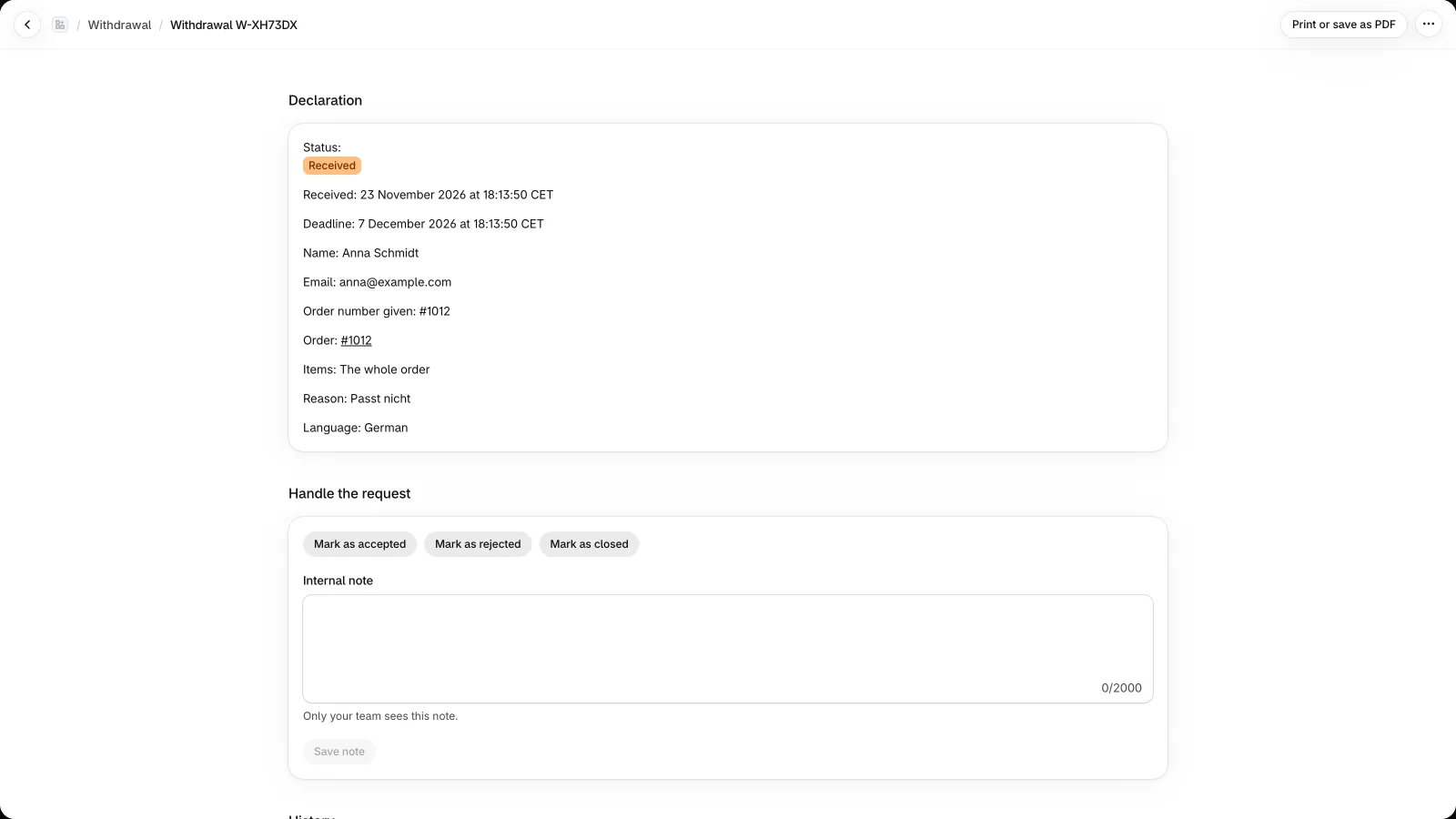
An email with the declaration and the date and time of receipt, in 24 EU languages. If sending fails, it is retried and you are alerted; the request is never lost.
Request log
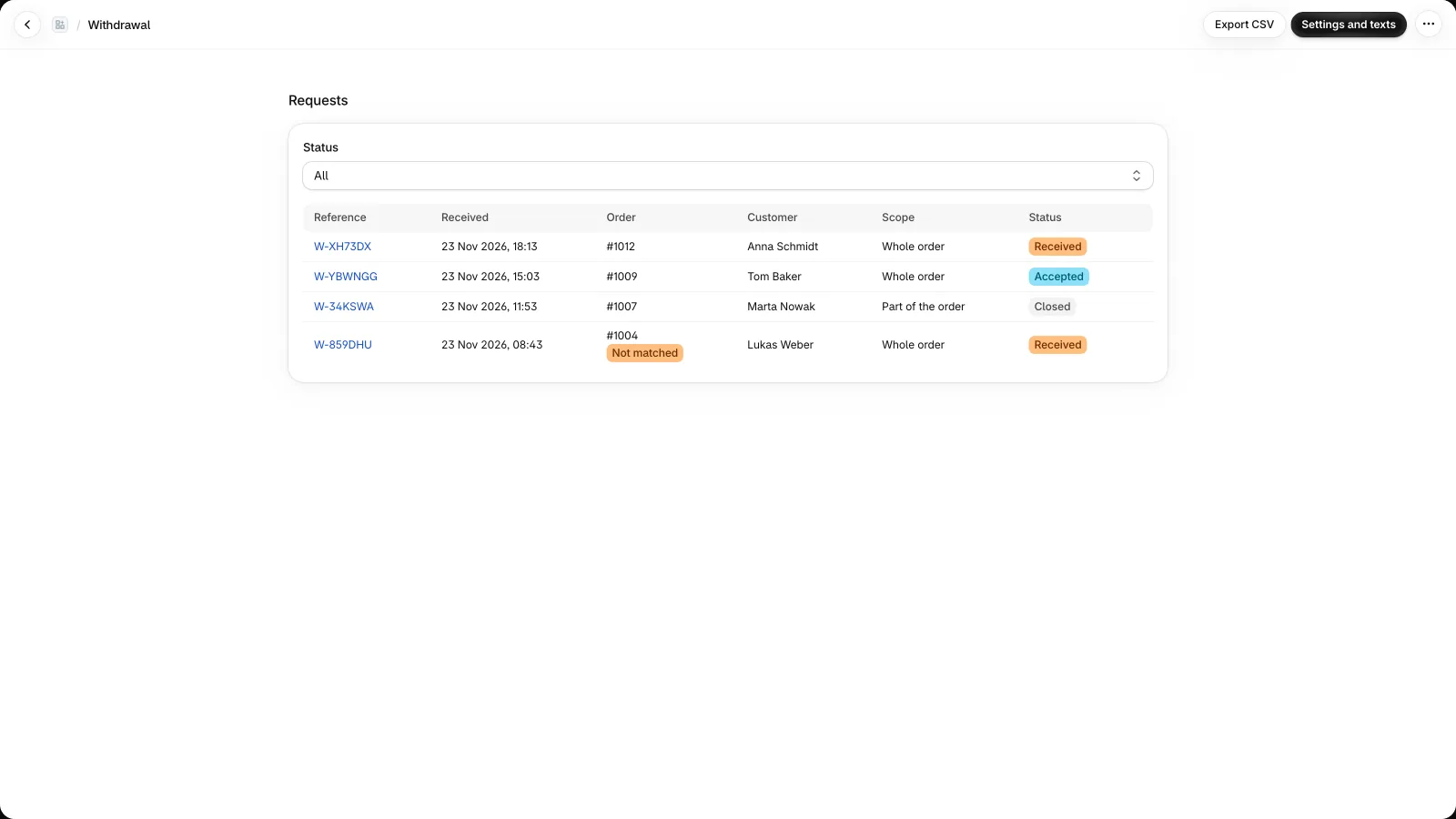
Status, notes, history, an order tag and metafield, CSV export, a printable page.
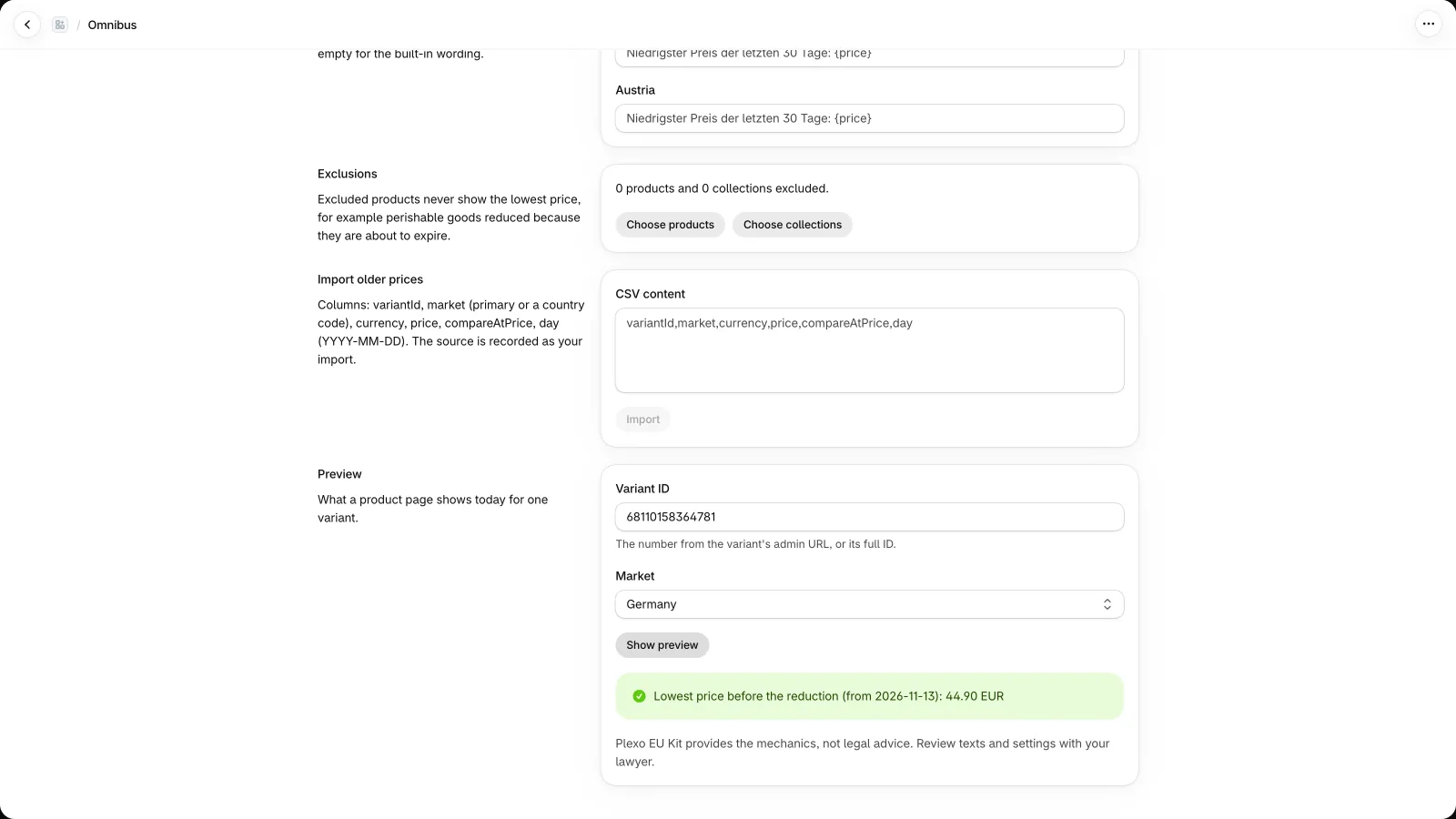
Omnibus lowest price
Prices are recorded daily per variant and market; reduced prices show the lowest price of the 30 days before the reduction, only with complete history. Exclusions for perishable goods; wording per country.
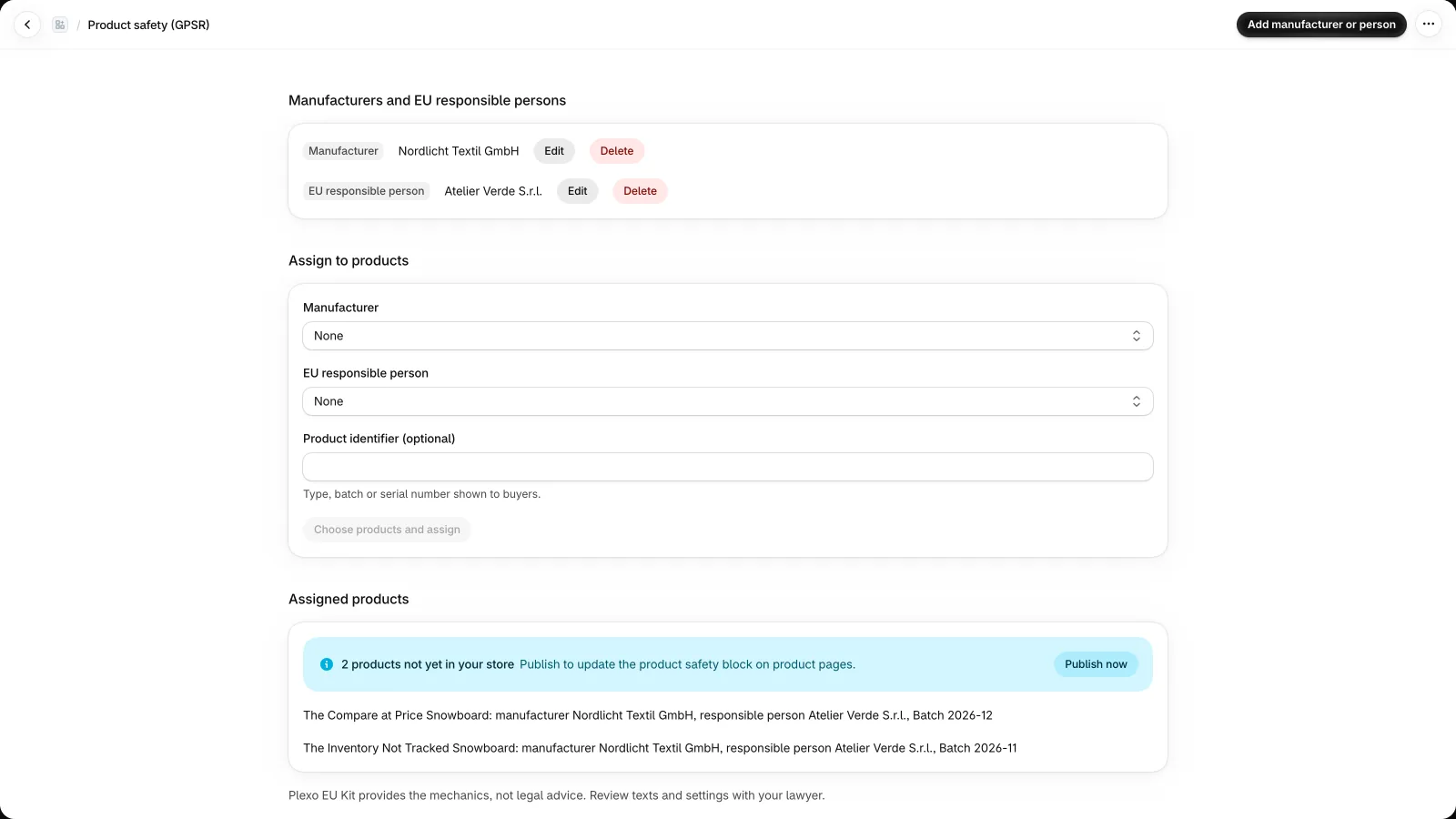
Product safety (GPSR)
Save the manufacturer and the EU responsible person once and assign them to products; a block shows them on product pages.
Store check
Looks for hidden or vague buttons, extra steps, required reasons, failing confirmations and missing price history.
No app branding
on any plan.
Plexo EU Kit provides the mechanics, not legal advice. Review your texts and settings with your lawyer.
See it in the app
Real screens from Plexo EU Kit on a development store. Select a screen to enlarge it.
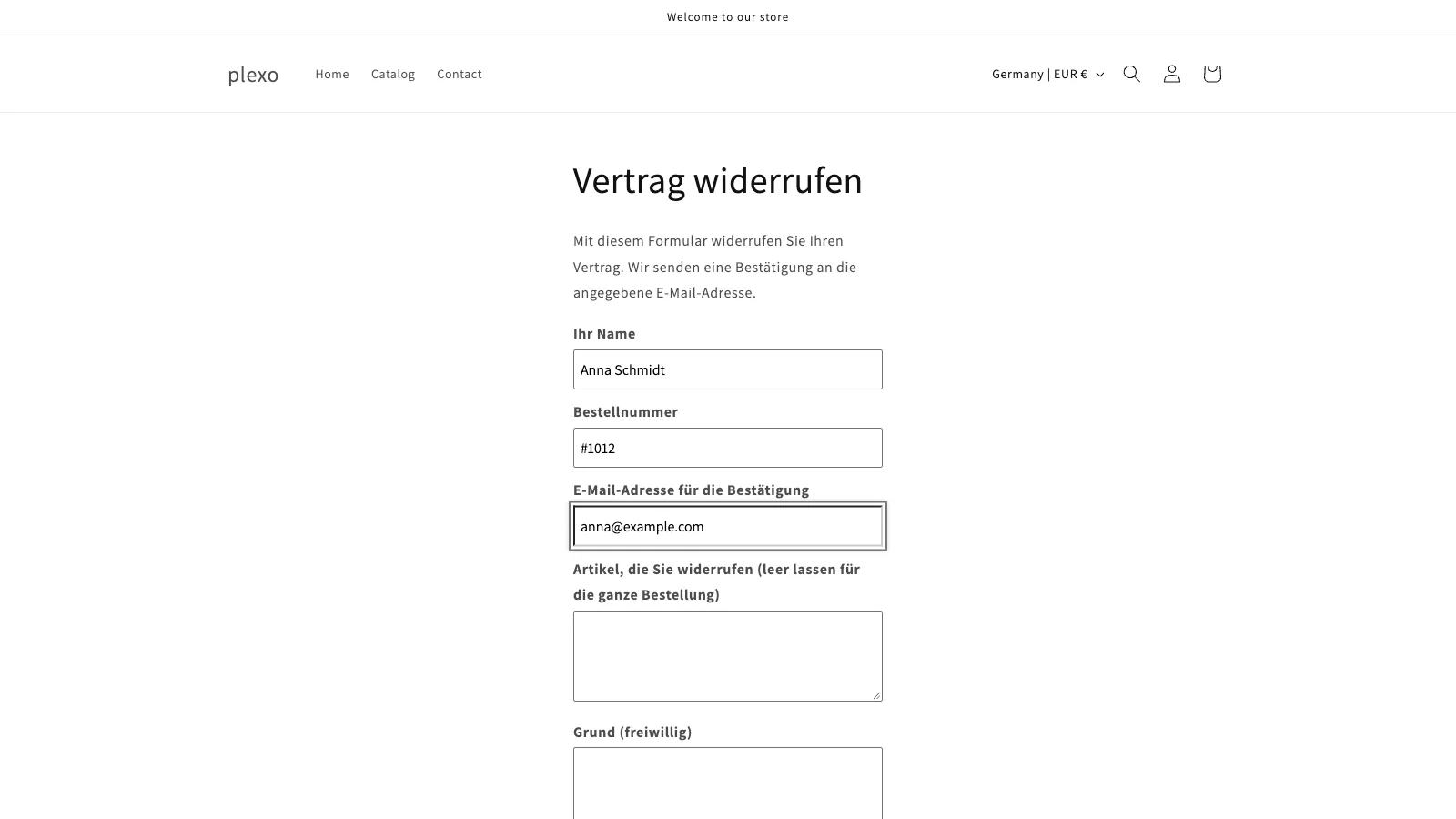
No login, reason optional 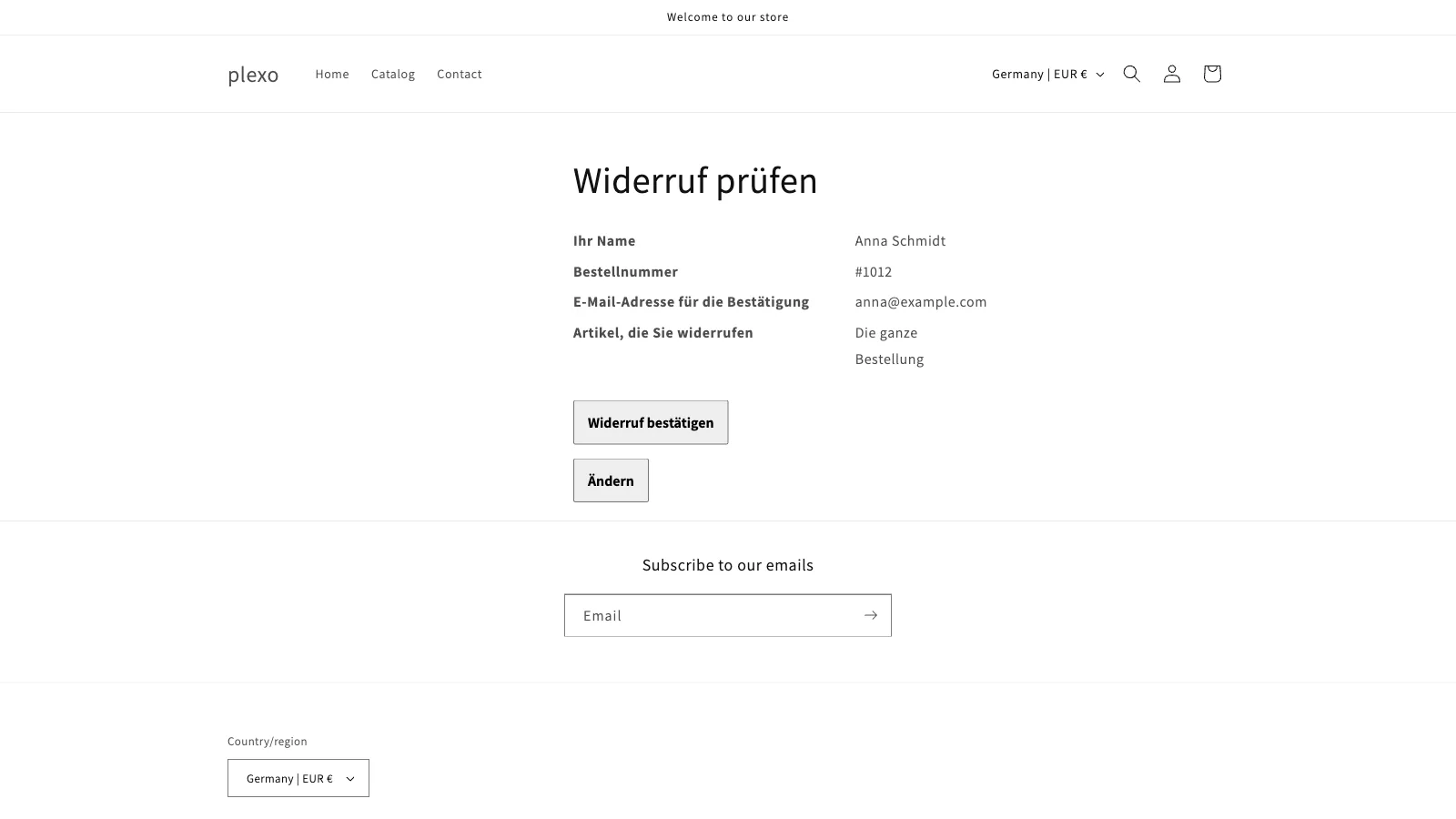
Confirmed with the time of receipt 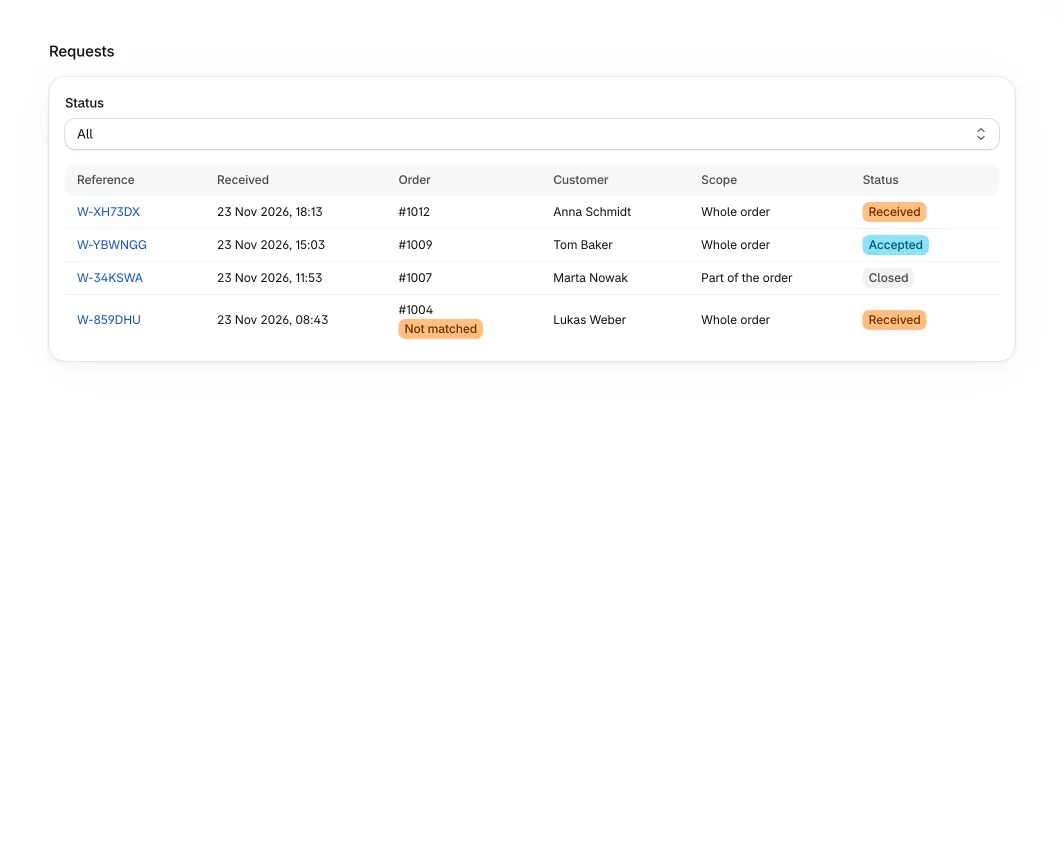
Every request on record 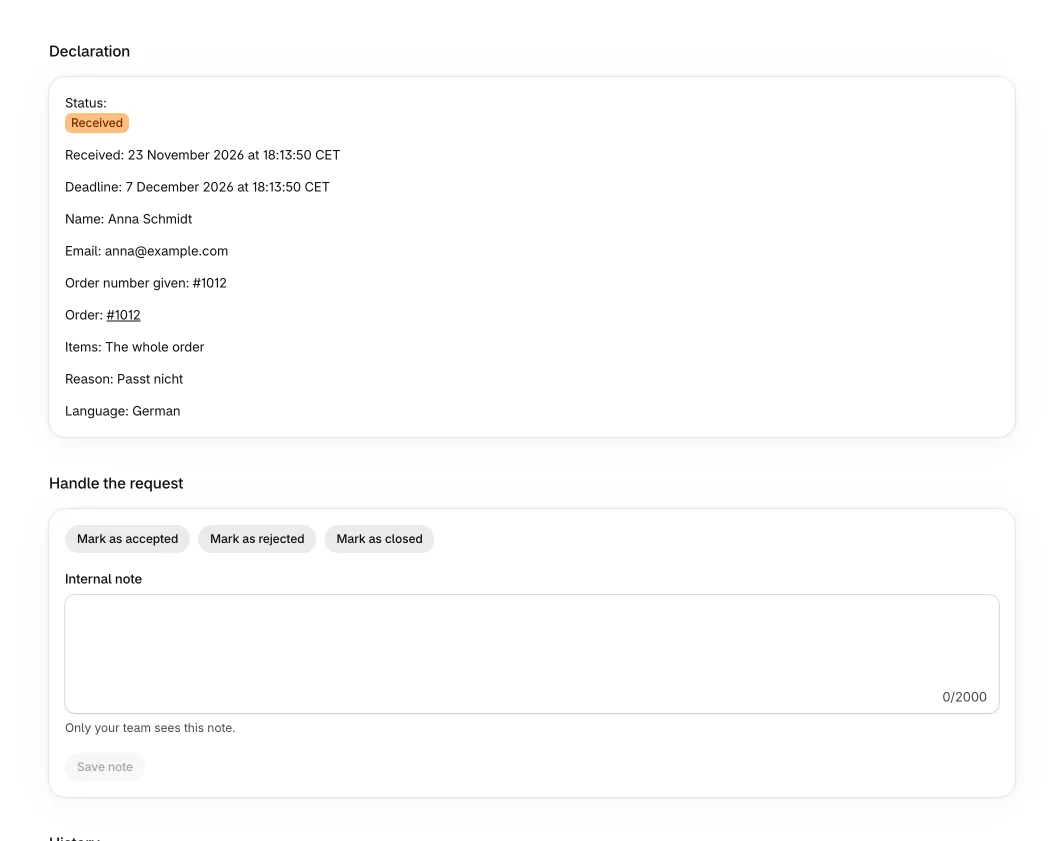
Time of receipt on every request 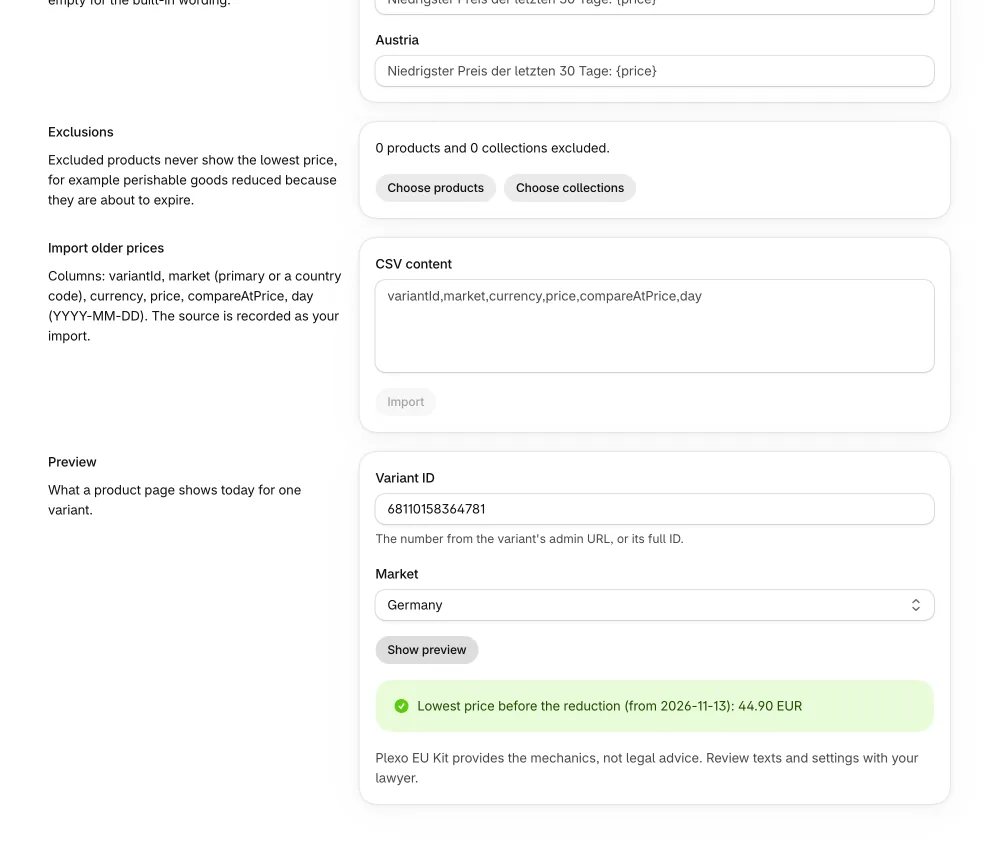
Lowest price, worded per country 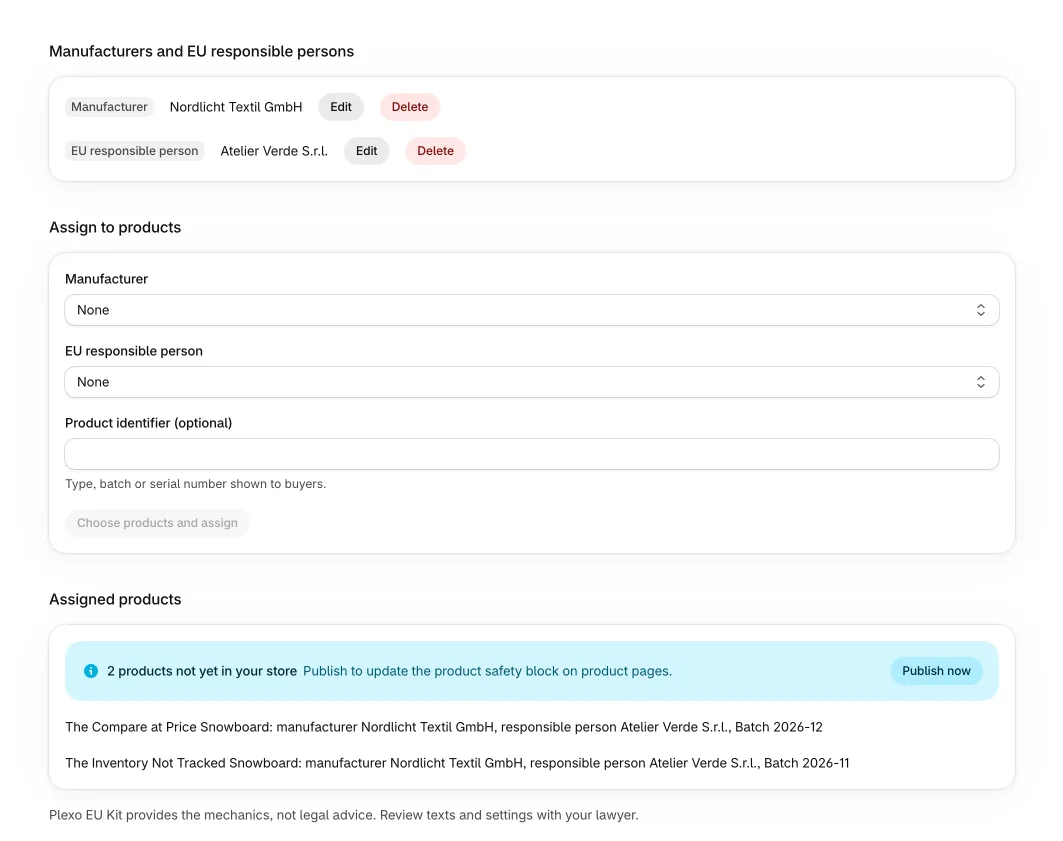
Safety contacts assigned to products
How it works
Install and turn on the embed
Enable the withdrawal button app embed in the theme editor. The button appears on your store, the order page and in customer accounts.
Customers withdraw in two steps
They enter their name, order number and email, confirm the summary, and get a confirmation email with the time of receipt.
You handle every request in the admin
Each request lands in the request log with its status, history and an order tag, ready to process or export.
Plans
Prices in US dollars. Shopify bills for the app on your Shopify invoice; you can change or cancel the plan in the app.
-
Free
0 USD a month
No charge
- Withdrawal button and two-step form, on the footer, the order page and in customer accounts
- Confirmation emails with the time of receipt
- Request log
- Partial withdrawal in the customer's words
- No app branding
-
Standard
12.99 USD a month
or 129.90 USD a year
14-day free trial
- Everything in Free
- All 24 EU languages
- CSV export
- Omnibus lowest price in one market
- Product safety details (GPSR)
-
Pro
29.99 USD a month
or 299.90 USD a year
14-day free trial
- Everything in Standard
- Omnibus in all markets
- Store check
- Price history import
-
Plus
79 USD a month
or 790 USD a year
14-day free trial
- Everything in Pro
- For Shopify Plus stores
- Priority support
Paid plans start with a 14-day free trial. Billing goes through Shopify. The withdrawal button keeps working on every plan, also after a downgrade.
FAQ
Is the button required for my shop?
Since 19 June 2026, traders who conclude contracts with EU consumers online must offer a withdrawal function (Art. 11a Directive 2011/83/EU; in Germany § 356a BGB). This is mechanics, not legal advice: check your obligations with your lawyer.
What if the order number and email do not match?
The request is recorded anyway and you get an alert.
When does the lowest-price note appear?
Only next to a reduced price and only with the 30 days before the reduction recorded. Older prices can be imported as CSV.
Where is the data stored?
In the EU (Amsterdam). See the privacy policy.
Support and documents
Email: info@plexoapps.com. Include your shop's myshopify.com address. Never send passwords or customer details.
- The button does not appear: turn on the "Withdrawal button" app embed in the theme editor.
- No confirmation arrived: open the request in the app; the mail status and a "Send again" button are at the bottom.
- The lowest-price note does not appear: the product needs a reduced price and 30 days of history in that market.
- EU Kit documentation: setup, every feature, troubleshooting.
- Privacy policy: what the app stores and for how long.
- How to contact support and what to include.
Try Plexo EU Kit
The EU withdrawal button, lowest-price notes and product safety details for Shopify, without app branding. Mechanics, not legal advice.