Plexo Feeds
Product feeds for every market and language, checked first.
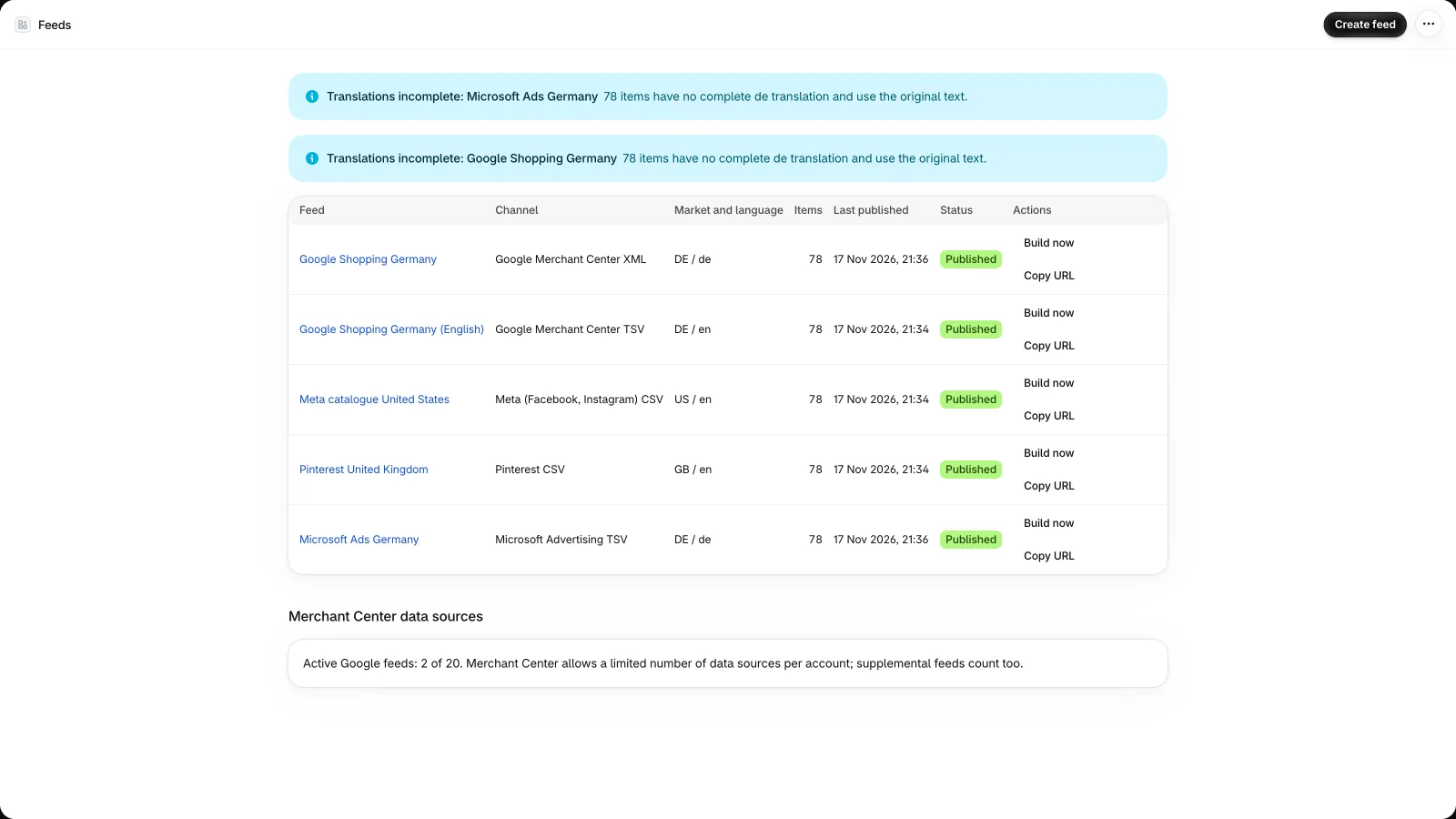
Plexo Feeds turns your Shopify catalogue into product feeds for advertising channels. Each feed is built for one market and one language, so a channel gets the prices, currency, translations and products that shoppers in that market actually see.
Coming soon to the Shopify App Store
What it does
Made for Shopify stores that advertise on Google, Meta, Pinterest, Microsoft, TikTok or Snapchat, especially in several markets and languages.
A feed per market and language
Market prices and compare-at prices in the market currency, translated titles, descriptions and links, and only the products published to that market.
Every major channel
Google Merchant Center (XML and TSV), Meta (CSV and XML), Pinterest, Microsoft Advertising, TikTok and Snapchat, plus your own template in CSV, TSV, XML or JSON. Supplemental feeds for Google.
Checked before it goes live
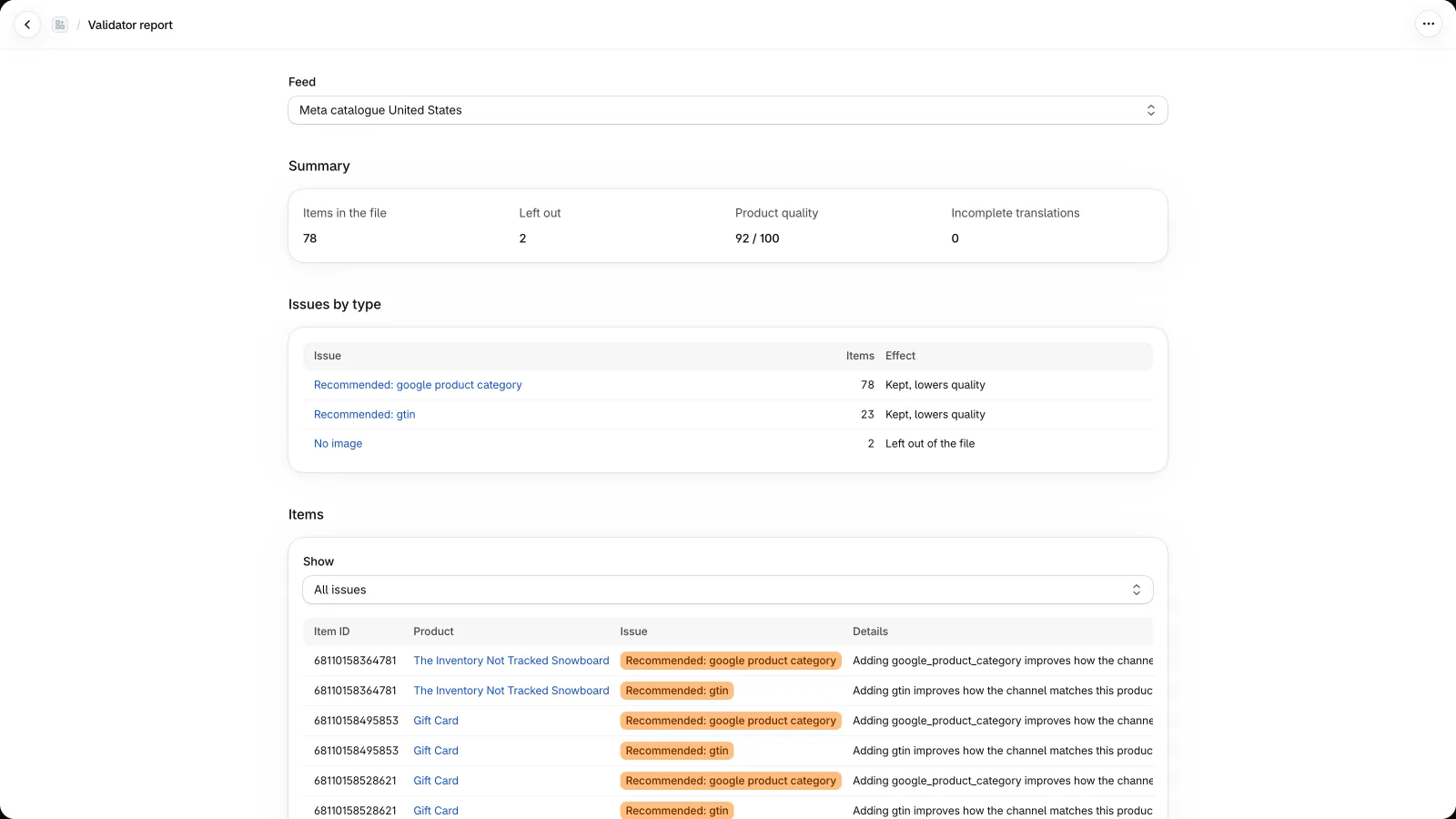
A validator checks each build against the channel's rules and lists what would be rejected and why, with a quality score per product.
Safe publishing
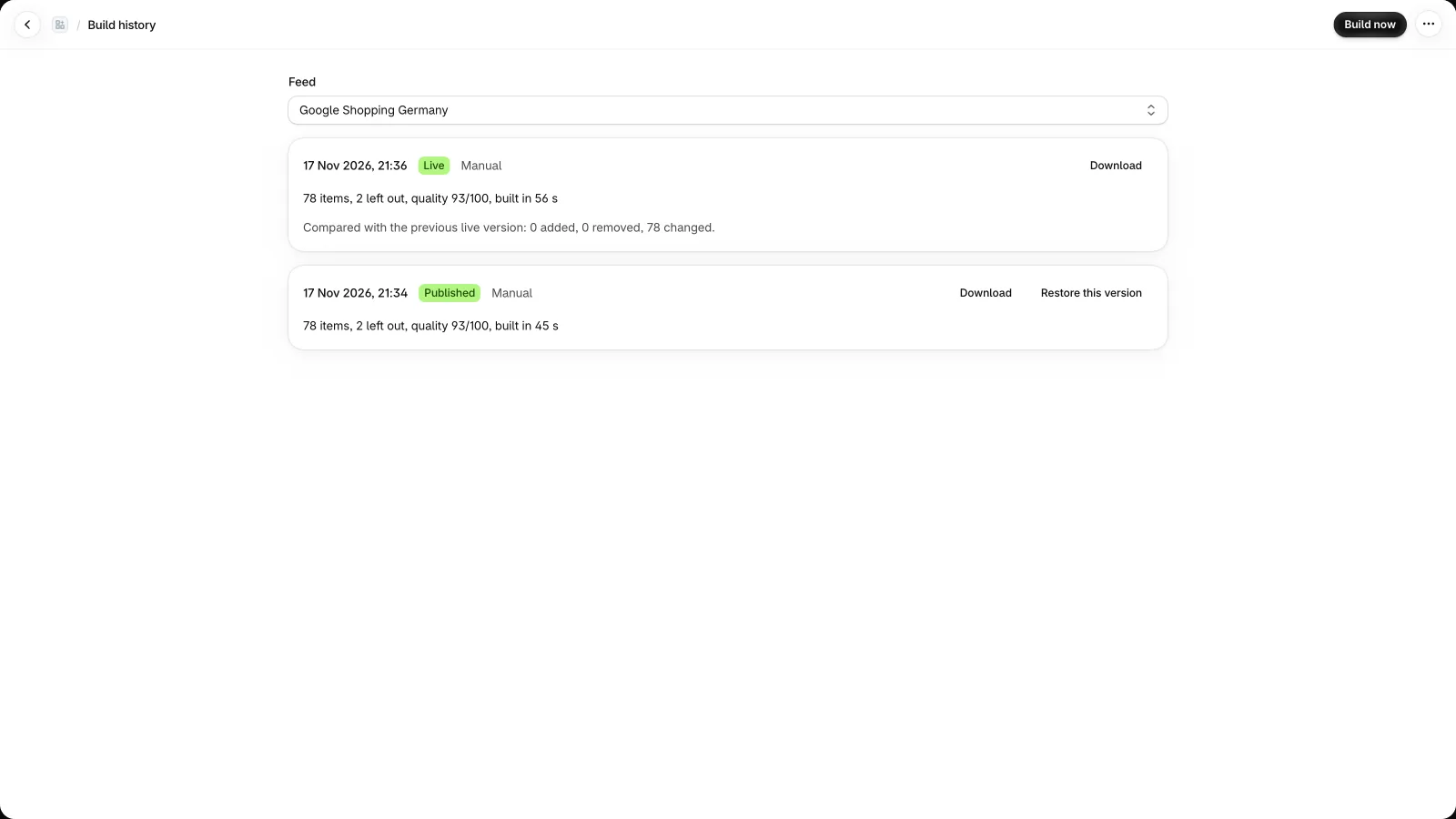
A build that is empty or suddenly loses many products is held back and you get an alert. Any earlier build can be restored in one step.
Stable private links
Each feed has an unguessable URL that never changes, with an optional password. Item IDs follow the format you choose, including a preset that keeps the IDs of the Google & YouTube app.
Your data, your way
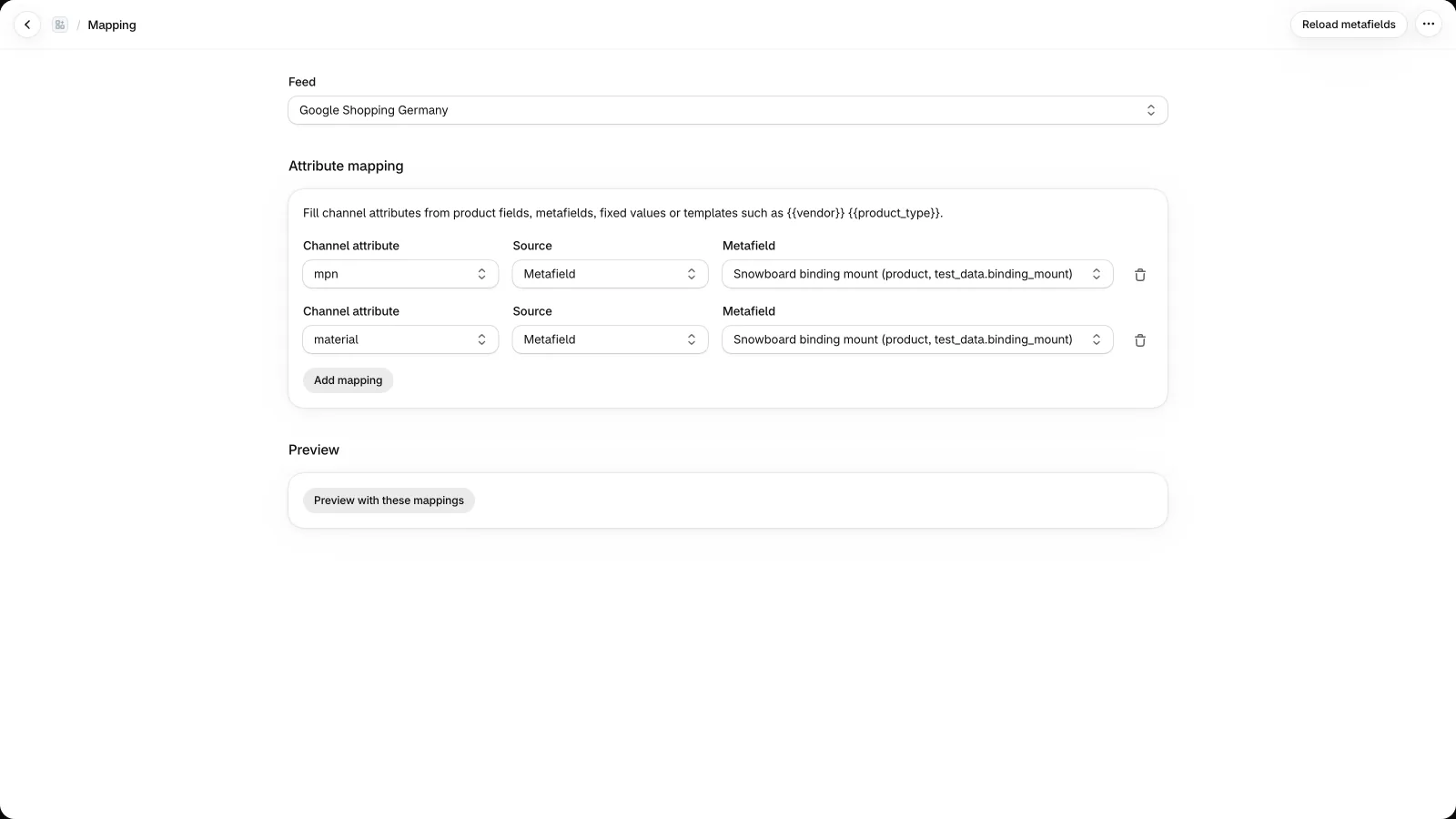
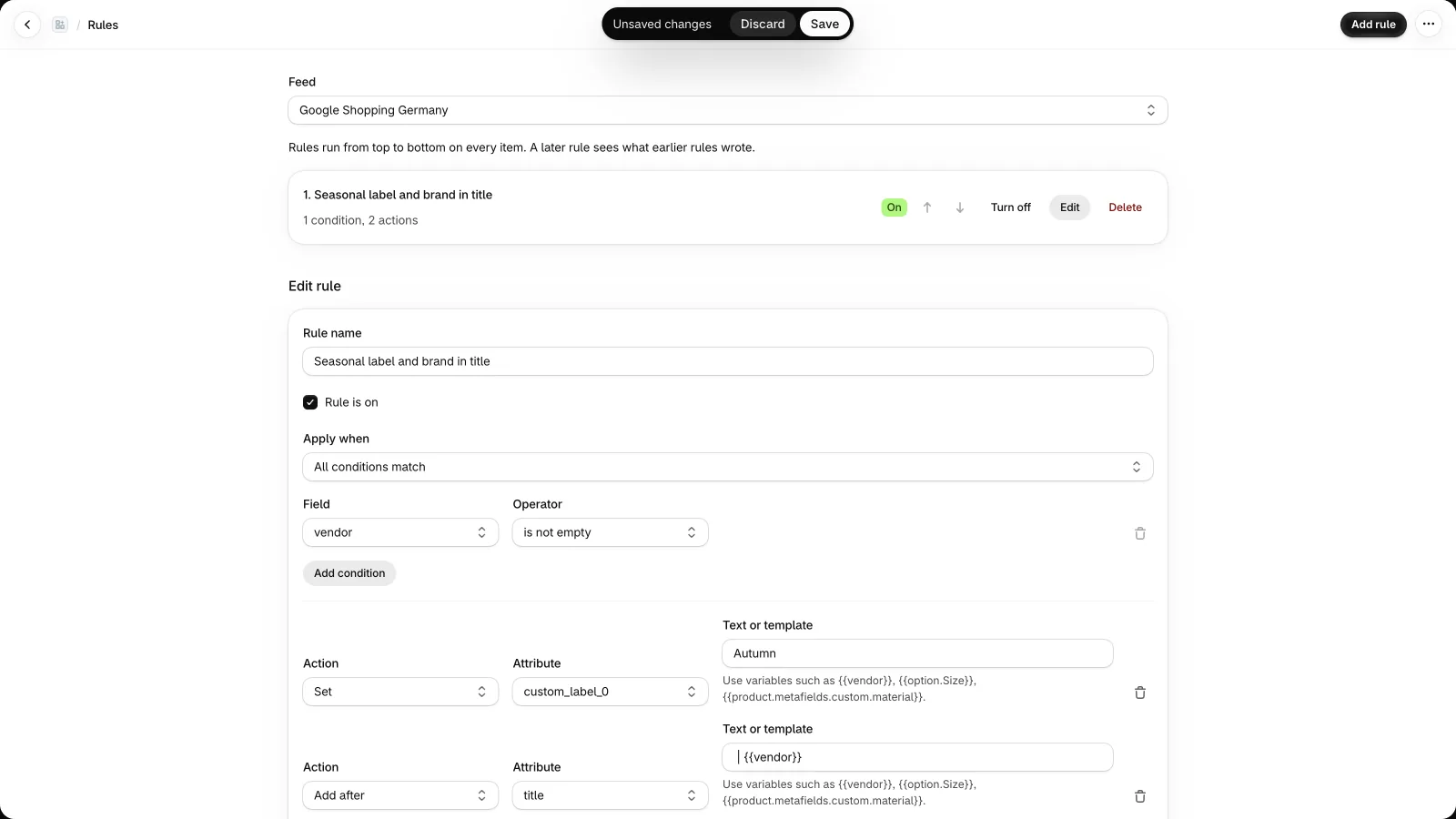
Map metafields to GTIN, MPN, brand, unit pricing and other attributes. Rewrite titles, set custom labels and the product category with rules. Filter by collection, tag, vendor, stock or price, exclude single products, and override attributes per product.
Always current
Feeds rebuild on a schedule and after product and stock changes. Build history shows what changed between two builds.
See it in the app
Real screens from Plexo Feeds on a development store. Select a screen to enlarge it.
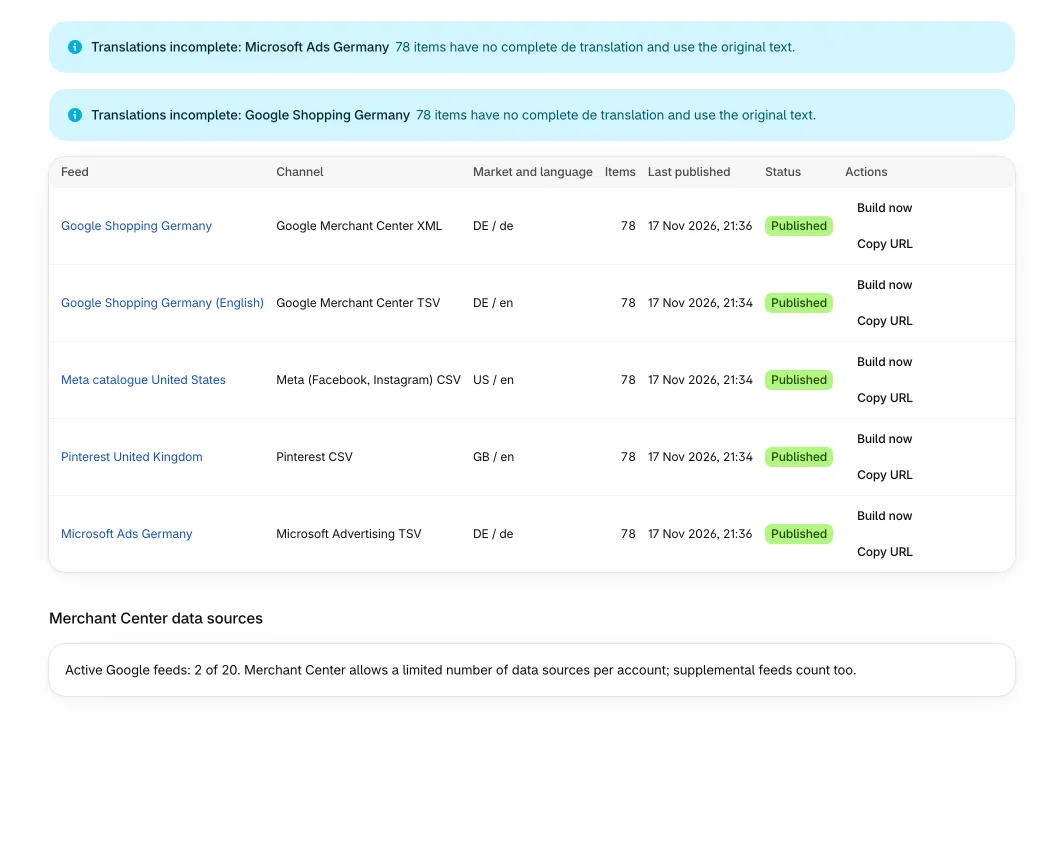
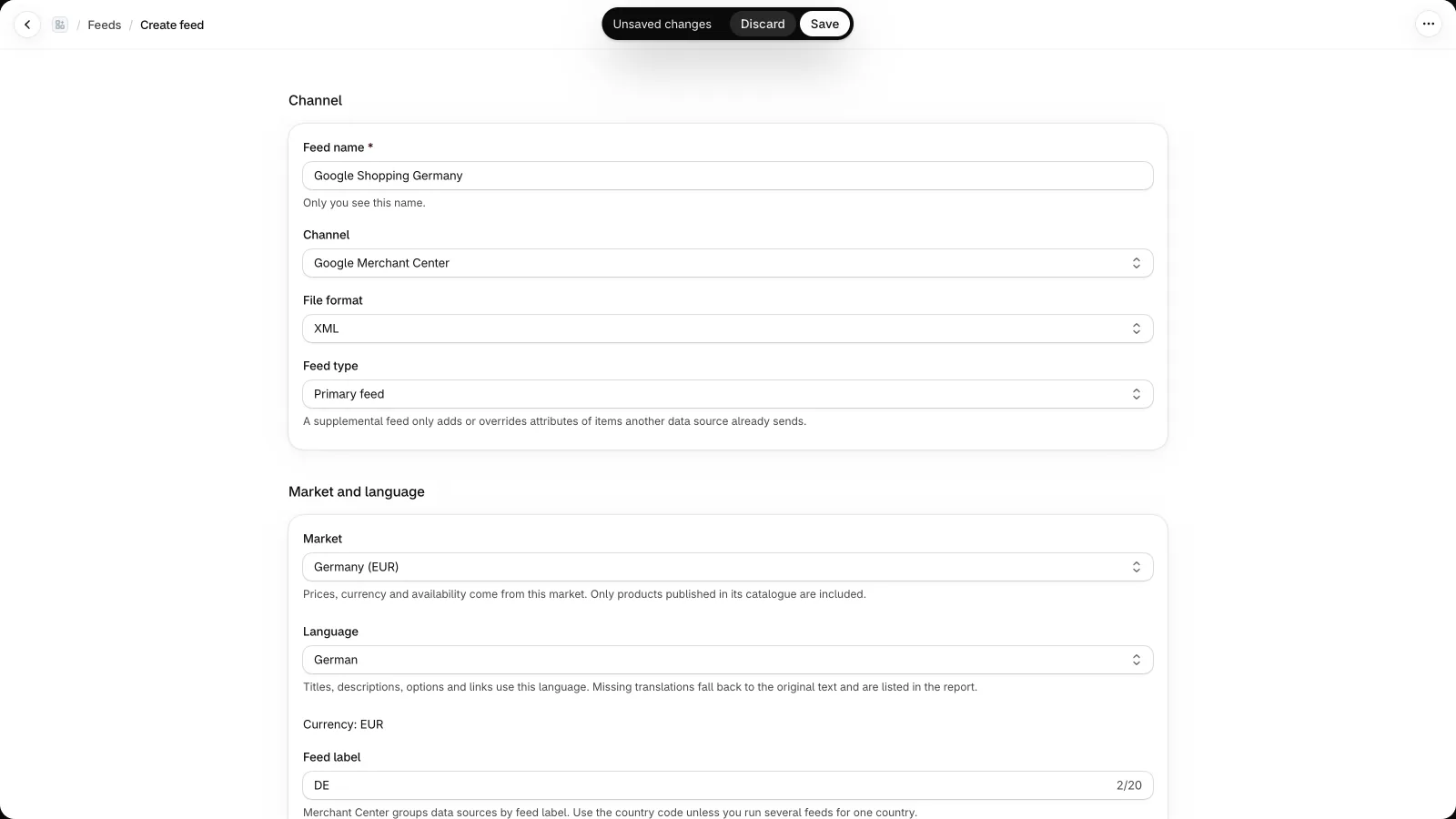
Every market and language in one list 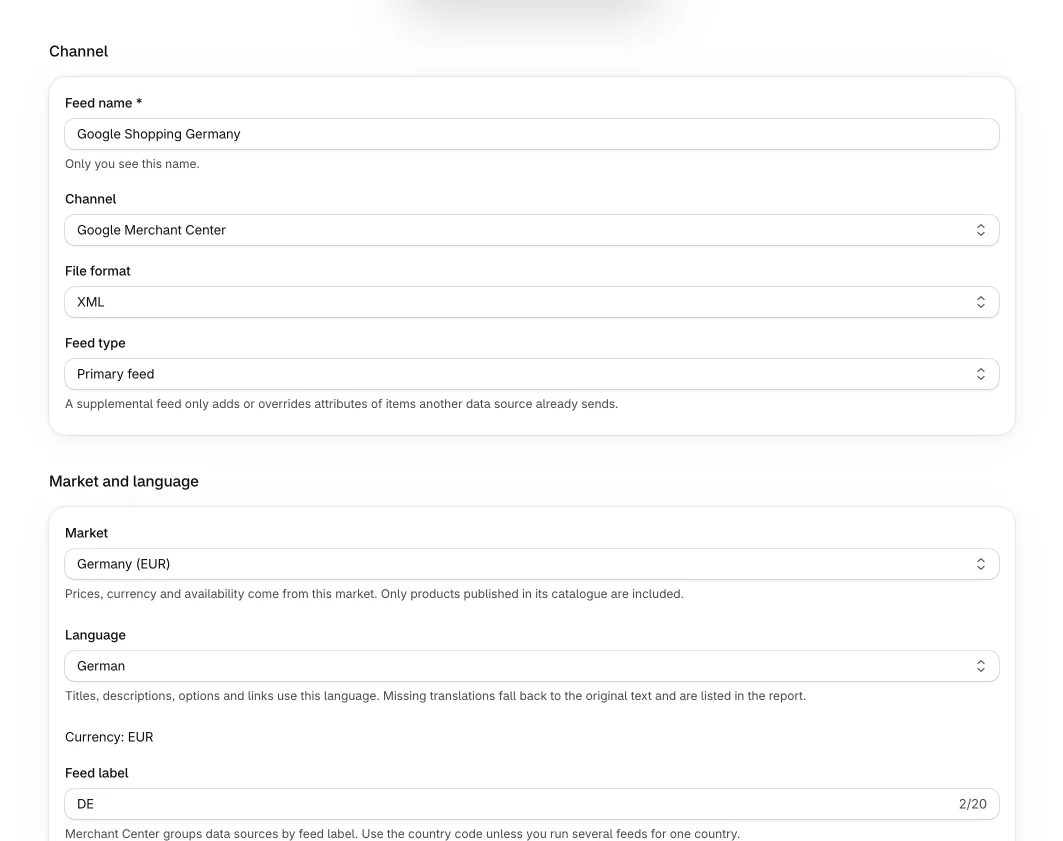
Pick channel, market, language and ID format 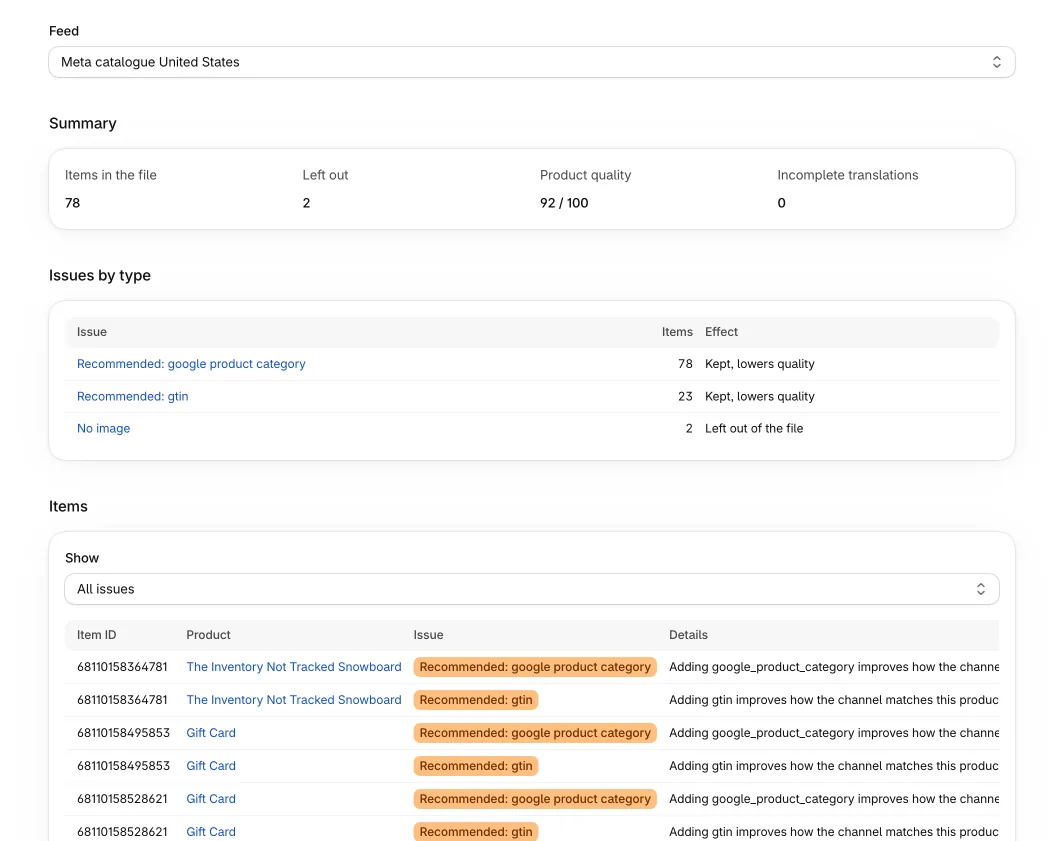
See what a channel would reject before it does 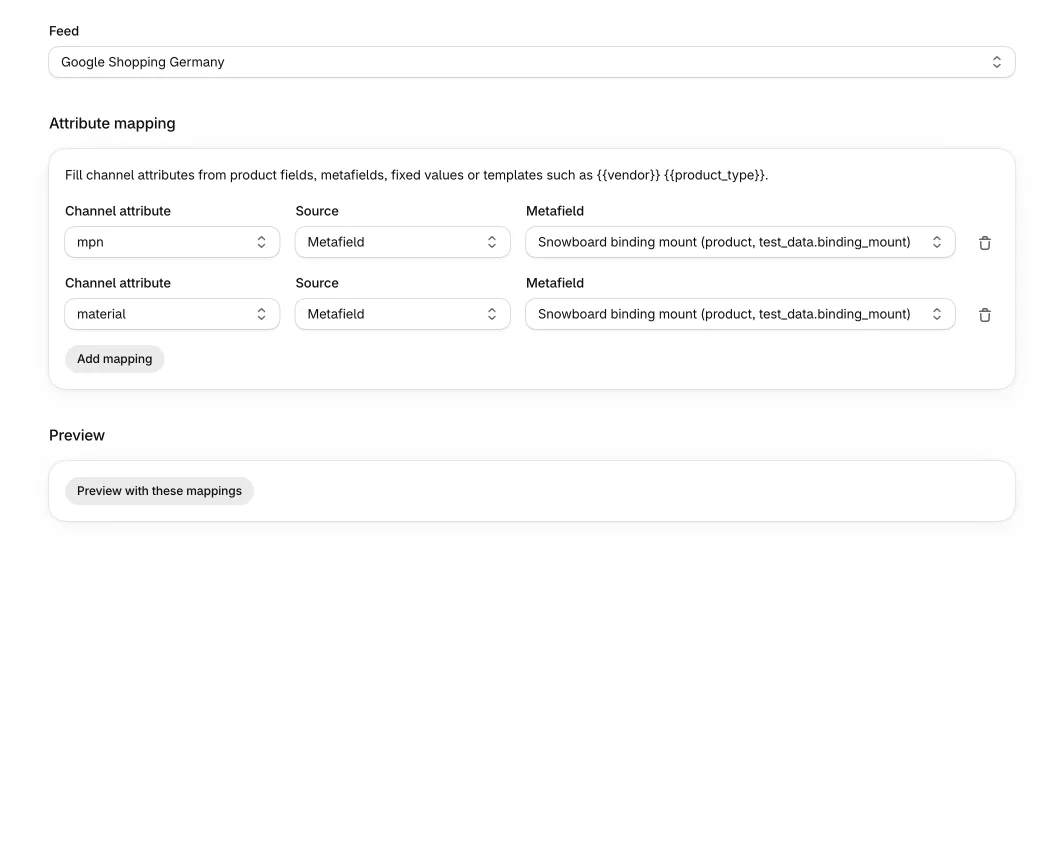
Map metafields to channel attributes 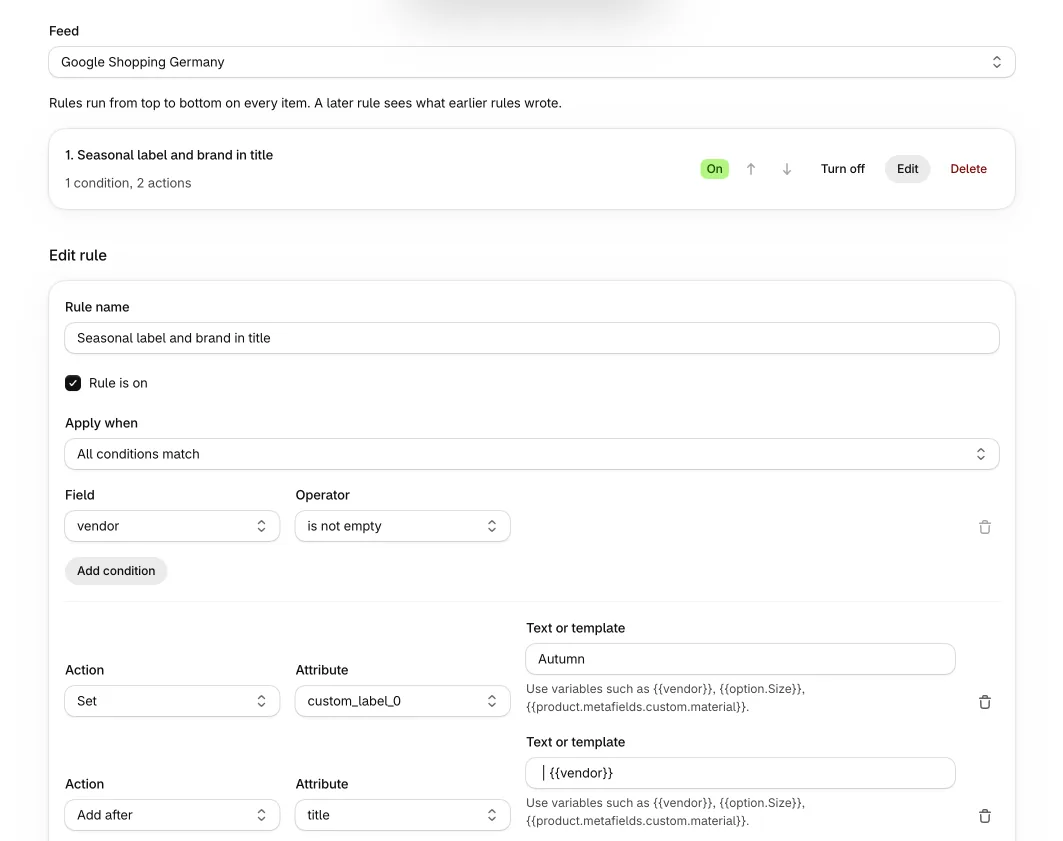
Rewrite titles and set custom labels 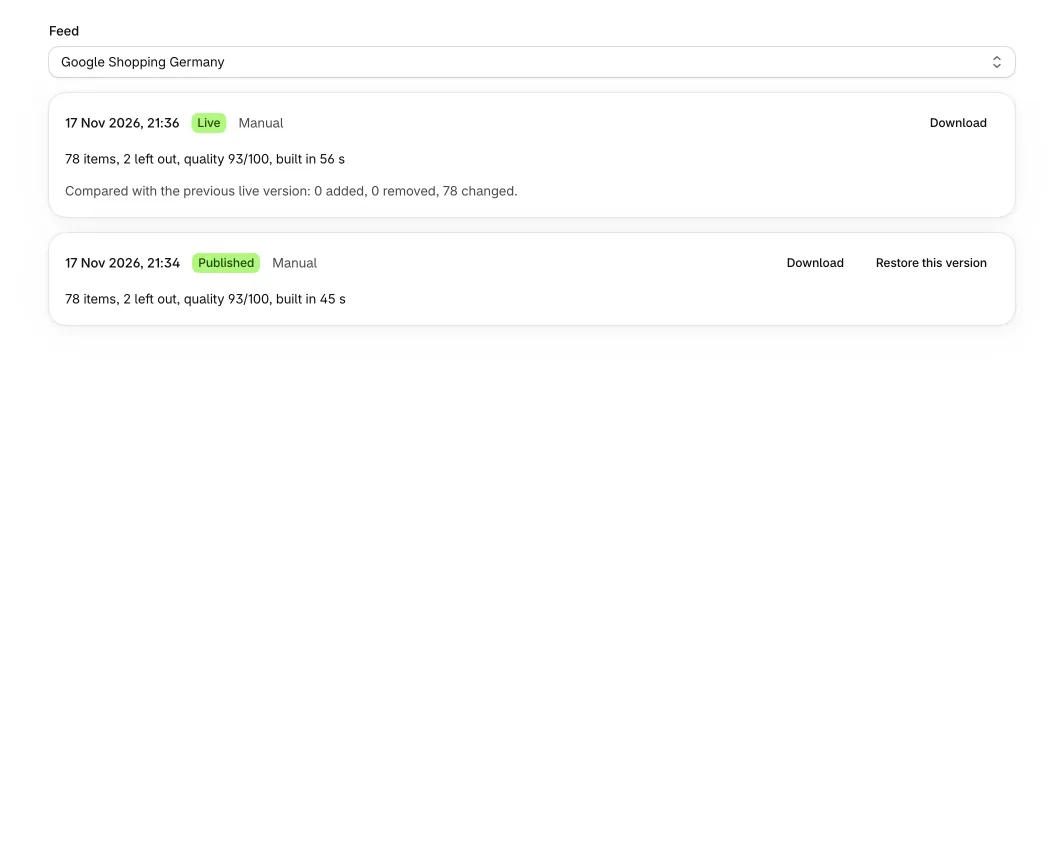
Compare builds and roll back in one step
How it works
Create a feed
Choose the channel, the market, the language and the format.
Check it
The validator lists what the channel would reject and why, before anything goes live.
Connect the channel
Paste the feed's private URL into the channel as a scheduled fetch. The app keeps the file current.
Plans
Prices in US dollars. Shopify bills for the app on your Shopify invoice; you can change or cancel the plan in the app.
-
Free
0 USD a month
No charge
- 50 products
- 1 feed
- Google Merchant Center
- Every market, store language
- Rebuild every 24 hours
- Validator and build history
-
Starter
9 USD a month
or 90 USD a year
14-day free trial
- 1,000 products
- 3 feeds
- All channels: Google, Meta, Pinterest, Microsoft, TikTok, Snapchat, custom
- Every market and language
- Rebuild every 6 hours
-
Growth Popular
19 USD a month
or 190 USD a year
14-day free trial
- 5,000 products
- Unlimited feeds
- All channels, every market and language
- Rules: titles, custom labels, exclusions
- Rebuild every 6 hours
-
Pro
39 USD a month
or 390 USD a year
14-day free trial
- 25,000 products
- Everything in Growth
- Build diffs
- Priority build queue
-
Scale
79 USD a month
or 790 USD a year
14-day free trial
- Unlimited products
- Everything in Pro
FAQ
Which channels are supported?
Google Merchant Center (XML and TSV), Meta (CSV and XML), Pinterest, Microsoft Advertising, TikTok, Snapchat, and your own template in CSV, TSV, XML or JSON.
How do channels get the feed?
Each feed has a private URL. Paste it into the channel as a scheduled fetch. The app rebuilds the file on a schedule and after product changes; the URL does not change.
Do I need Shopify Markets?
No. Without extra markets you get one feed in your store currency and language. With Markets you can build a feed for each market and language, with that market's prices, currency and published products.
Why are translation, price list and catalogue changes not instant?
Shopify does not send a notification for these changes, so they reach your feeds with the next scheduled build. You can start a build at any time with "Build now".
What happens if a build goes wrong?
If a new build has far fewer products than the last one, it is not published and you get an alert. You can restore an earlier build in one step.
Will changing the item ID format affect my campaigns?
It can: channels keep performance history per item ID. The app asks you to confirm and explains the impact before it changes the format.
Does the feed include German unit pricing?
The feed can include unit pricing attributes from your metafields. Whether your products must show unit prices depends on local law: this is mechanics, not legal advice.
Does the app read customer data?
No. It reads products, inventory, markets, languages, translations and publications only. See the privacy policy.
What happens when I uninstall?
Feeds, files, rules and settings for your store are deleted, and the feed URLs stop working.
Support and documents
Email info@plexoapps.com with your store's myshopify.com address. Please do not send customer data.
- Feeds documentation: setup, every feature, troubleshooting.
- Privacy policy: what the app stores and for how long.
- How to contact support and what to include.
Try Plexo Feeds
Product feeds for Google, Meta, Pinterest, Microsoft, TikTok and Snapchat, built for every Shopify market and language and checked before they go live.