Rules and filters
Rules
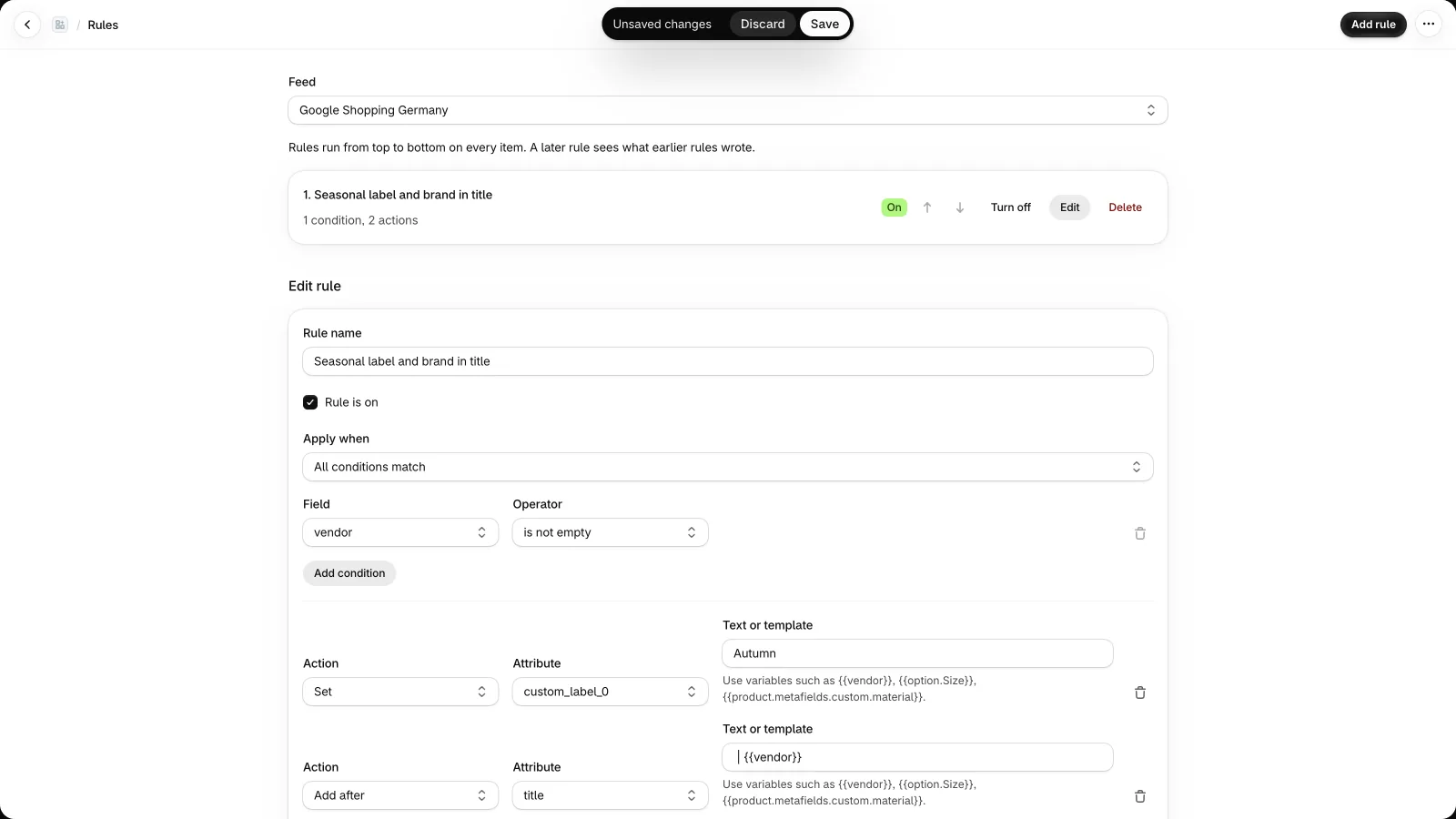
Rules rewrite titles, set custom labels or leave items out, for example "label products under 20 EUR as budget" (Growth plan).
- Apply when: All conditions match or Any condition matches, on fields such as title, vendor, tags, price or stock, with operators like includes any of, is empty or is true.
- Action: Set an attribute, Replace text (Find and Replace with), Add before, Add after, or Leave item out (matching items are not sent to the channel).
- Use variables such as
{{vendor}},{{option.Size}}or{{product.metafields.custom.material}}.
Filters
Filters apply to All feeds or This feed:
- collections (Choose collections), Tags, Vendors and Product types (comma separated, case ignored),
- Availability: In stock and out of stock or In stock only (channels accept out-of-stock items; keeping them preserves their history),
- Minimum price and Maximum price in the market currency.
Excluded products
Exclude products leaves single products out by hand; Include again brings them back.
Attribute overrides
Set an attribute for chosen products, for example gender, age_group or google_product_category.
Updated 2026-11-23